Early access. New gear verdicts added every week. Read the gear guide

Desk Setup

The gear that lives on my desk

For tech professionals who spend the day on calls and in the terminal, and want a desk that holds up to it. Every pick here has earned its place through real use. Filter by what you need.

Logitech M720 Triathlon by Logitech
Top PickIn my setup
Mice$$

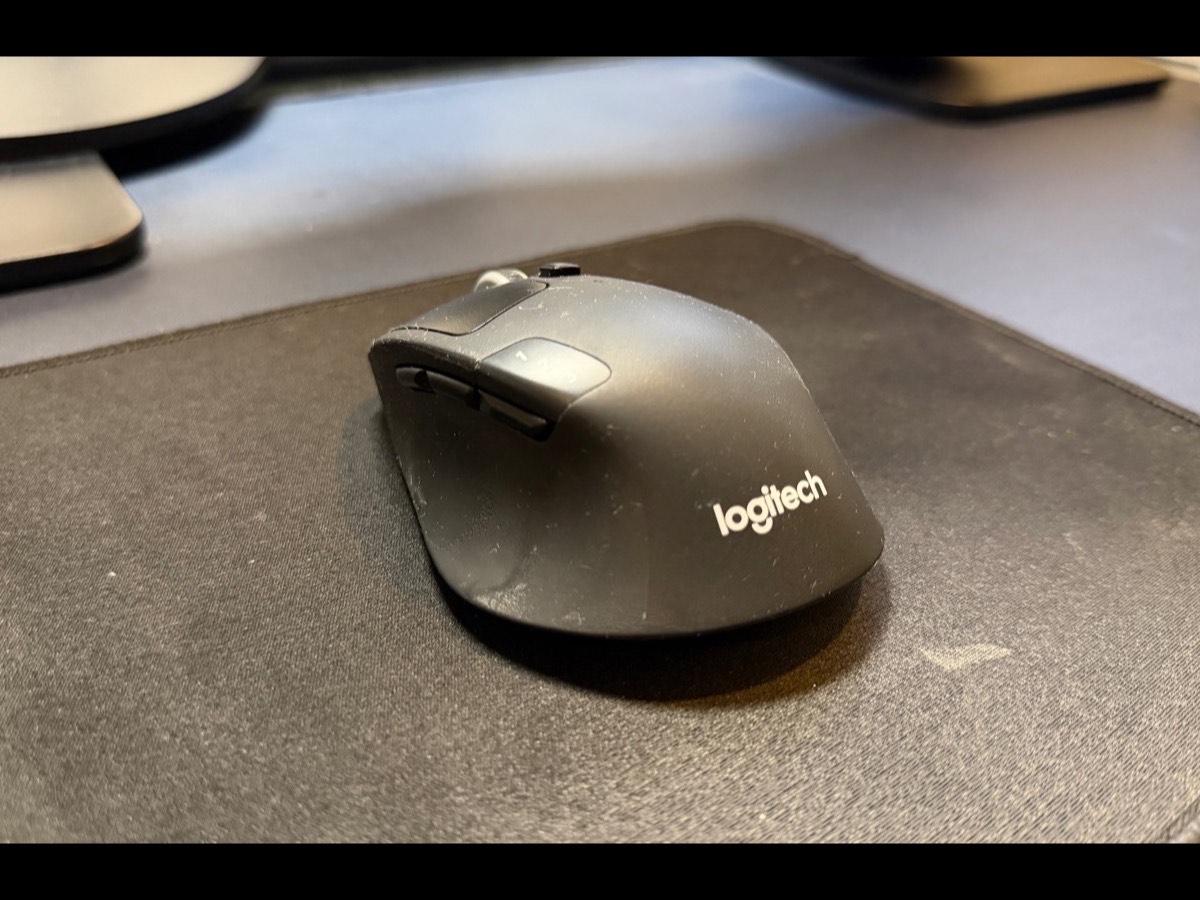
Logitech M720 Triathlon

The mouse I actually use. It pairs to my work laptop and personal machine at once and switches between them with a button, and a single battery lasts me the better part of a year.

  • Flips between three devices instantly, which is the whole game when you live across machines
  • Battery measured in months, not days
  • Sculpted shape that holds up over a full call day
  • Plastic build feels utilitarian next to an MX Master
  • Right-handed only
8.0/10Tested May 2026
View on Amazon
Apple Magic Mouse by Apple
Hidden GemIn my setup
Mice$$

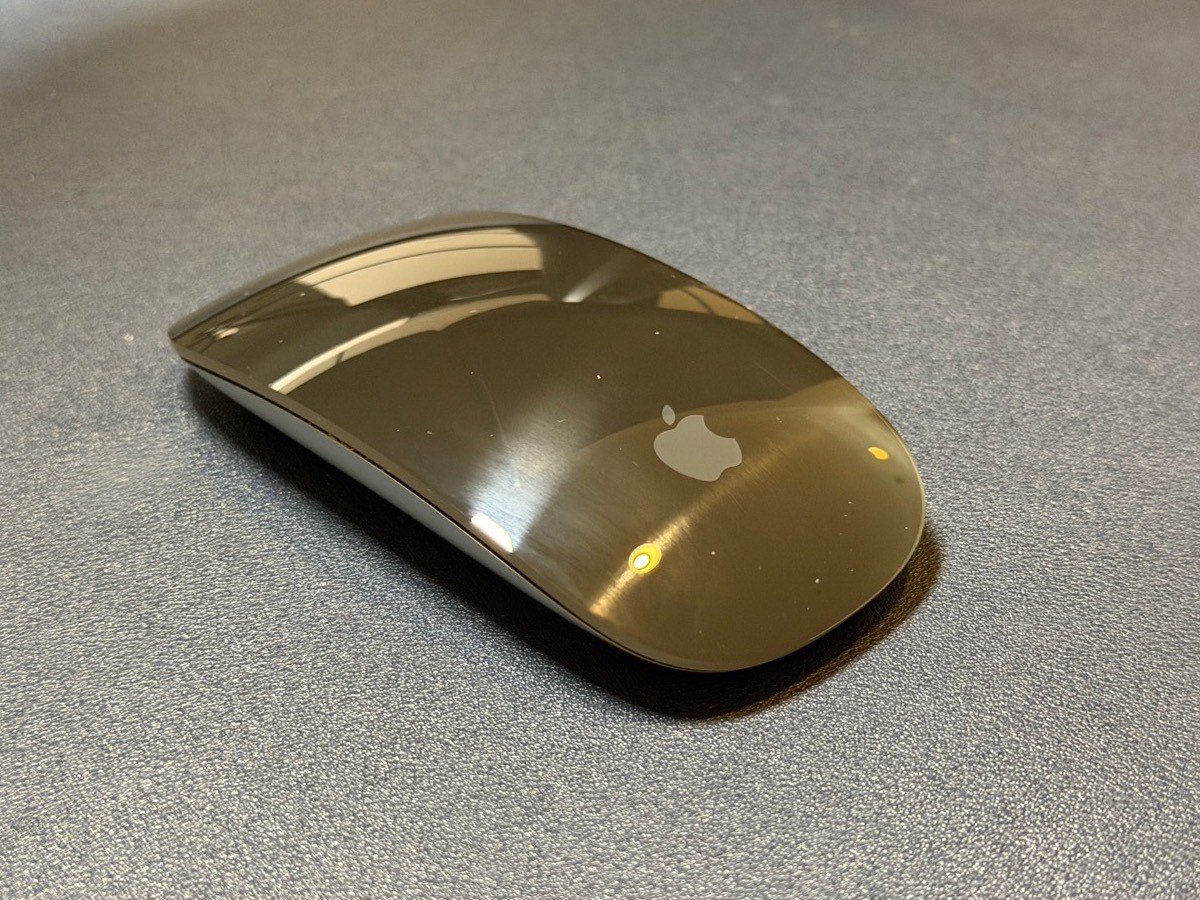
Apple Magic Mouse

I know this mouse gets a pile of hate, and I genuinely like it anyway. It is the one I travel with: flat enough to disappear into a bag, it pairs and just works across my Apple gear, and it holds a charge for weeks. The famous flaw is real, but it has never actually gotten in my way.

  • Flat and light, so it vanishes into a travel bag
  • Pairs instantly and works seamlessly across Apple devices
  • Holds a charge for weeks at a time
  • Charging port is on the underside, so no use while charging (a quick top-up lasts hours)
  • The flat shape is built for portability, not all-day ergonomics
7.0/10Tested May 2026
View on Amazon
Apple Magic Trackpad by Apple
Premium Choice
Mice$$$

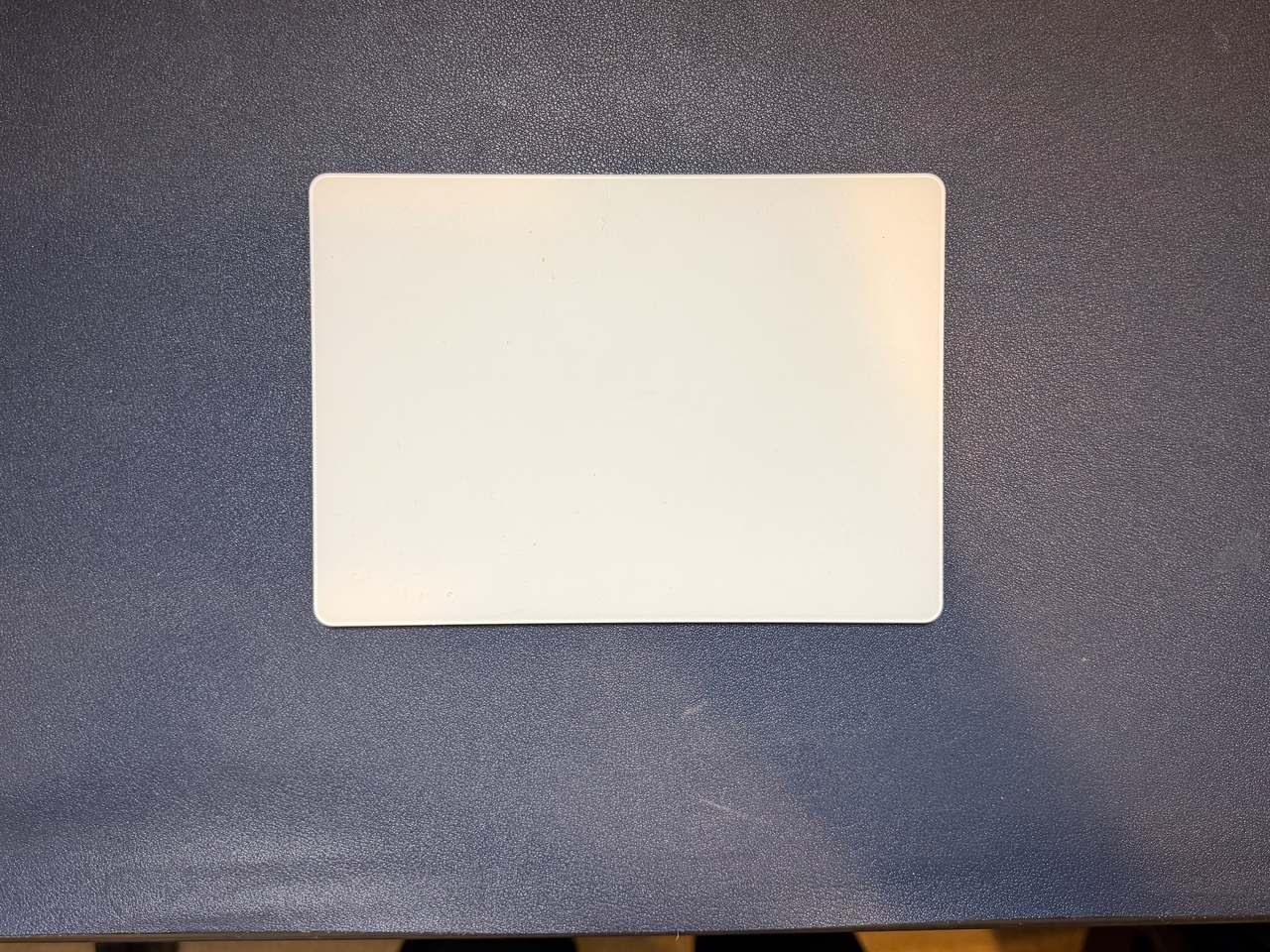
Apple Magic Trackpad

The big glass surface that makes macOS gestures actually worth using. Swipe between desktops, four-finger Mission Control, and pinch-to-zoom feel native here in a way no mouse matches, and the whole thing charges over USB-C and pairs the moment you plug it in.

  • Large Multi-Touch surface makes full macOS gestures effortless
  • Force Touch and pressure sensitivity for previews and variable controls
  • Rechargeable over USB-C with about a month of battery per charge
  • Pricey for a pointing device
  • A flat trackpad is not for everyone over a long editing or design session
Apple Magic Keyboard with Touch ID by Apple
Top PickIn my setup
Keyboards$$$

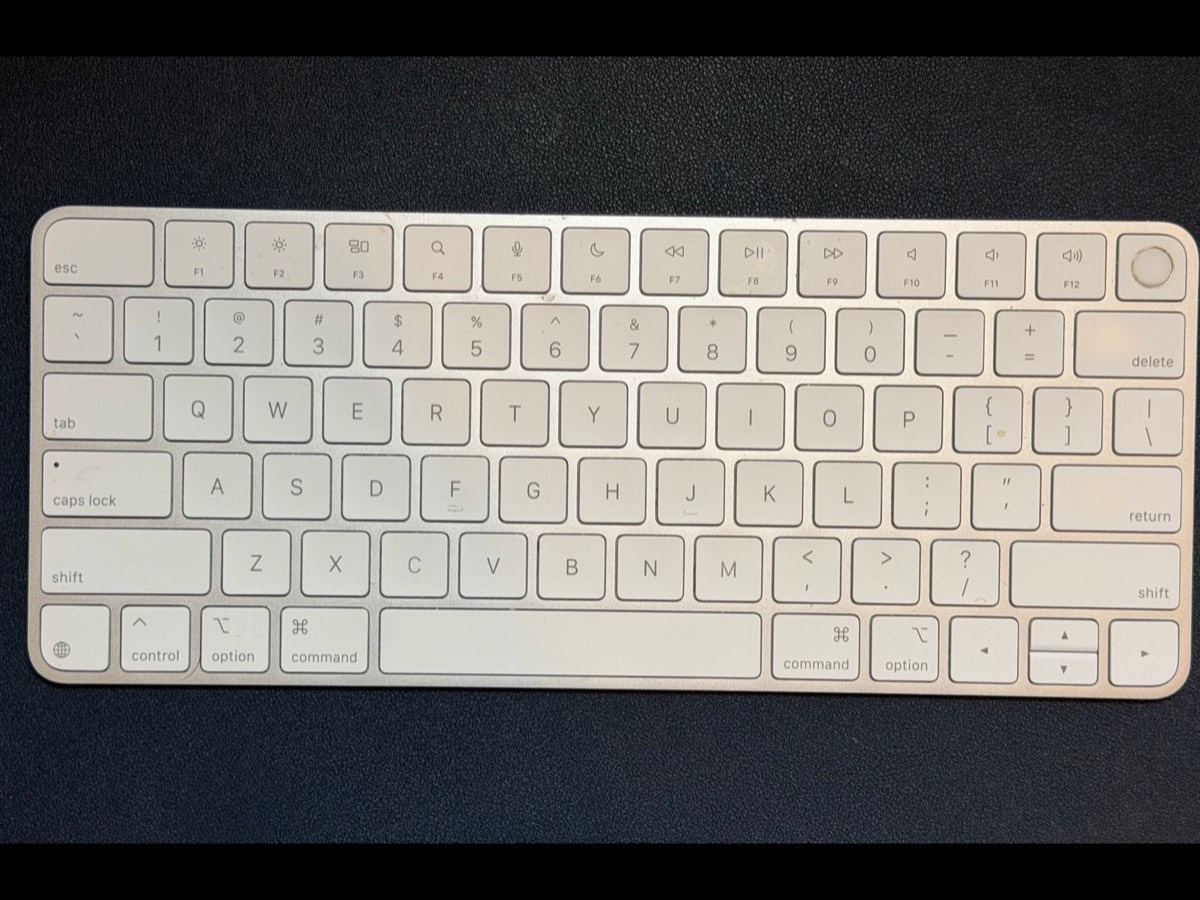
Apple Magic Keyboard with Touch ID

My everyday board, and Touch ID is the whole reason: laptop closed behind dual monitors, a fingertip unlocks the Mac, my password vaults, and website passkeys. I liked it enough to buy a second for the bag, so I get the same closed-lid logins in any coworking space.

  • Touch ID unlocks the Mac, password vaults, and website passkeys with a fingertip
  • Run your laptop closed behind monitors, no lid required to authenticate
  • Slim, quiet keys and about a month of battery per charge
  • Touch ID needs an Apple-silicon Mac
  • Low-profile keys are not for everyone
9.0/10Tested May 2026
View on Amazon
AnkerWork C310 by AnkerWork
Top PickIn my setup
Webcams$$

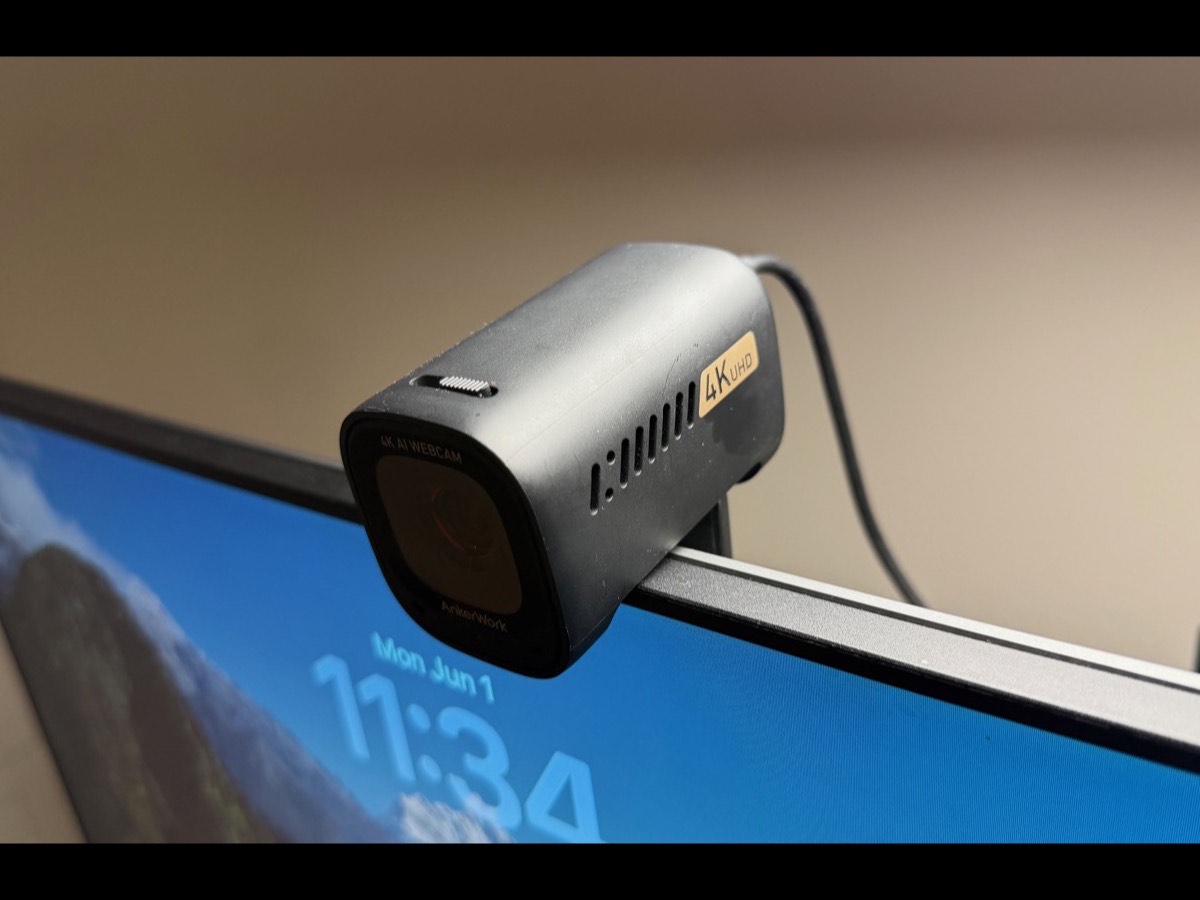
AnkerWork C310

My current camera, and proof you do not need to spend Elgato money to look sharp. 4K with AI autofocus and framing that keeps me centered when I lean into a demo.

  • Crisp 4K with a 12MP sensor for the price
  • AI framing keeps you centered without a gimbal
  • Physical privacy cover and adjustable field of view
  • AI framing can drift if you move a lot
  • Best with a little light on your face
8.0/10Tested Apr 2026
View on Amazon
ALTSON 10" Video Conference Light by ALTSON
Best ValueIn my setup
Lighting$

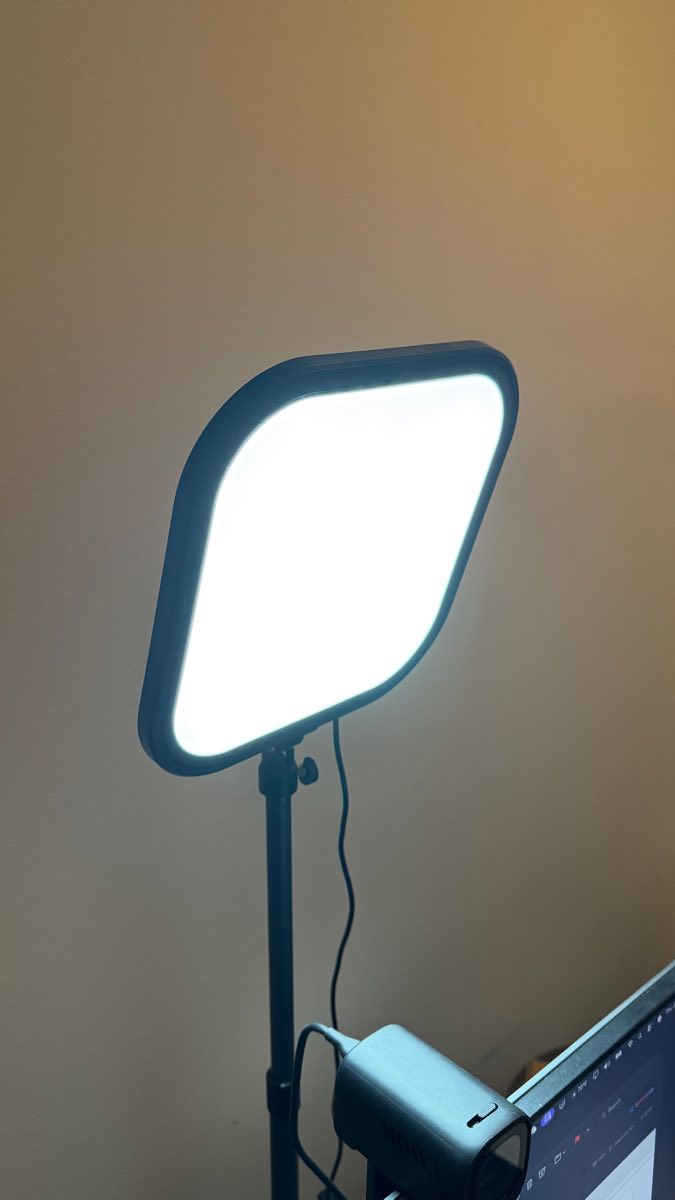
ALTSON 10" Video Conference Light

The light on my desk for calls. It is not fancy, but a 10-inch full-screen LED with brightness and color dials, on its own stand with a phone holder, fixed how I look on camera more than any webcam upgrade ever did, for a fraction of an Elgato. If your video looks flat, this is the cheapest fix on the page.

  • Even, flattering fill light that lifts any webcam
  • Brightness and color-temperature control right on the unit
  • Comes with its own stand and a phone holder, so it works for calls or filming
  • The stand takes up desk space
  • Build is plastic and basic
7.0/10Tested May 2026
View on Amazon
AirPods Max by Apple
Top PickIn my setup
Audio$$$$

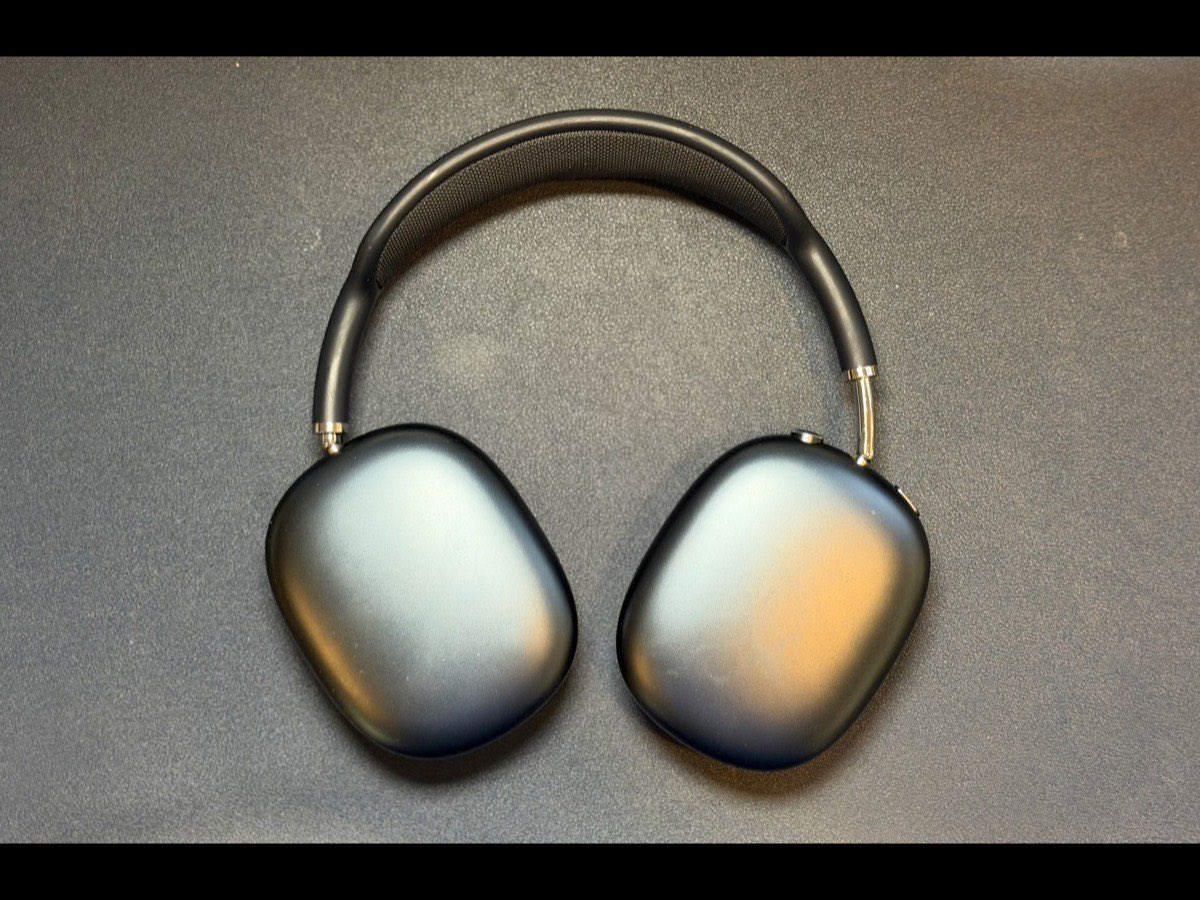
AirPods Max

What I wear at the desk. The noise cancellation makes an open room disappear, the mic is clean enough for calls, and they are comfortable enough to leave on through three meetings back to back.

  • Class-leading noise cancellation for deep work and calls
  • Comfortable over hours, unlike most over-ears
  • Seamless handoff across Apple devices
  • Heavy and expensive
  • The case protects almost nothing
9.0/10Tested May 2026
View on Amazon
AirPods Pro 3 by Apple
Top PickIn my setup
Audio$$$

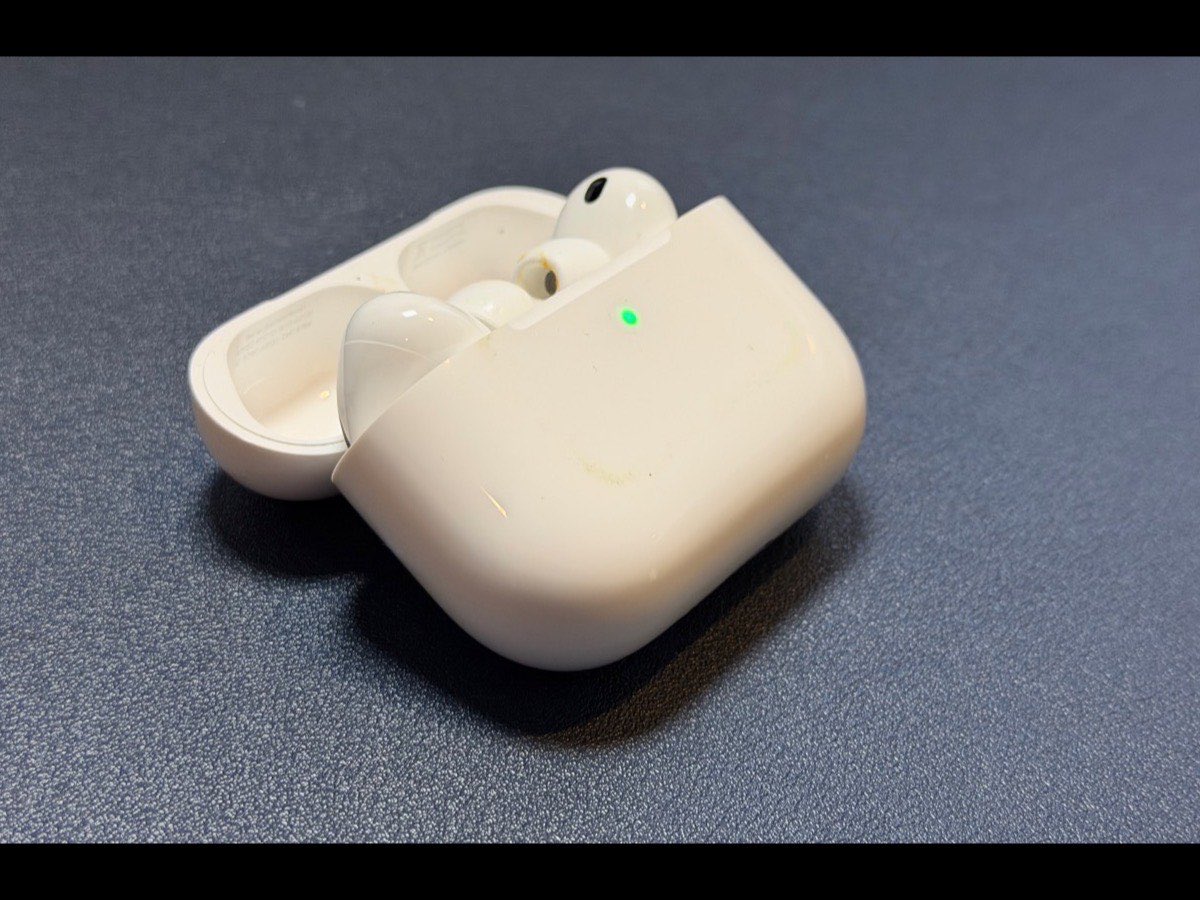
AirPods Pro 3

What goes in my pocket for calls on the move. The noise cancellation is shockingly close to the Max in something that vanishes into a jacket, and the mic holds up on a windy street.

  • Noise cancellation that punches far above its size
  • Pocketable, with all-day battery via the case
  • Reliable call mic even outdoors
  • Tips are not for every ear
  • Easy to lose
9.0/10Tested May 2026
View on Amazon
Logitech Z623 Speaker System by Logitech
Best ValueIn my setup
Audio$$

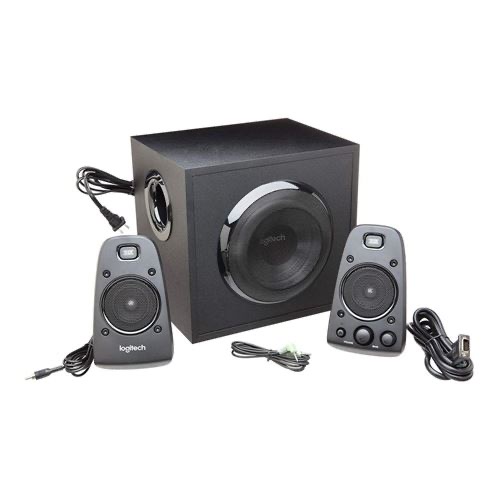
Logitech Z623 Speaker System

What I actually listen on at home when the headphones come off. A 2.1 system with a real subwoofer that fills the room, THX-certified, with enough power that I have never once wished it went louder. Music, video, calls on speaker, it handles all of it without sounding cheap.

  • Genuine room-filling sound with a subwoofer that has real low end
  • THX-certified and far more output than a desk ever needs
  • Multiple inputs, so the desk and other devices share one set of speakers
  • The sub is large and wants floor space
  • Overkill if you only ever want quiet background audio
8.0/10Tested May 2026
View on Amazon
Yubico YubiKey 5 NFC by Yubico
Top Pick
Accessories$$

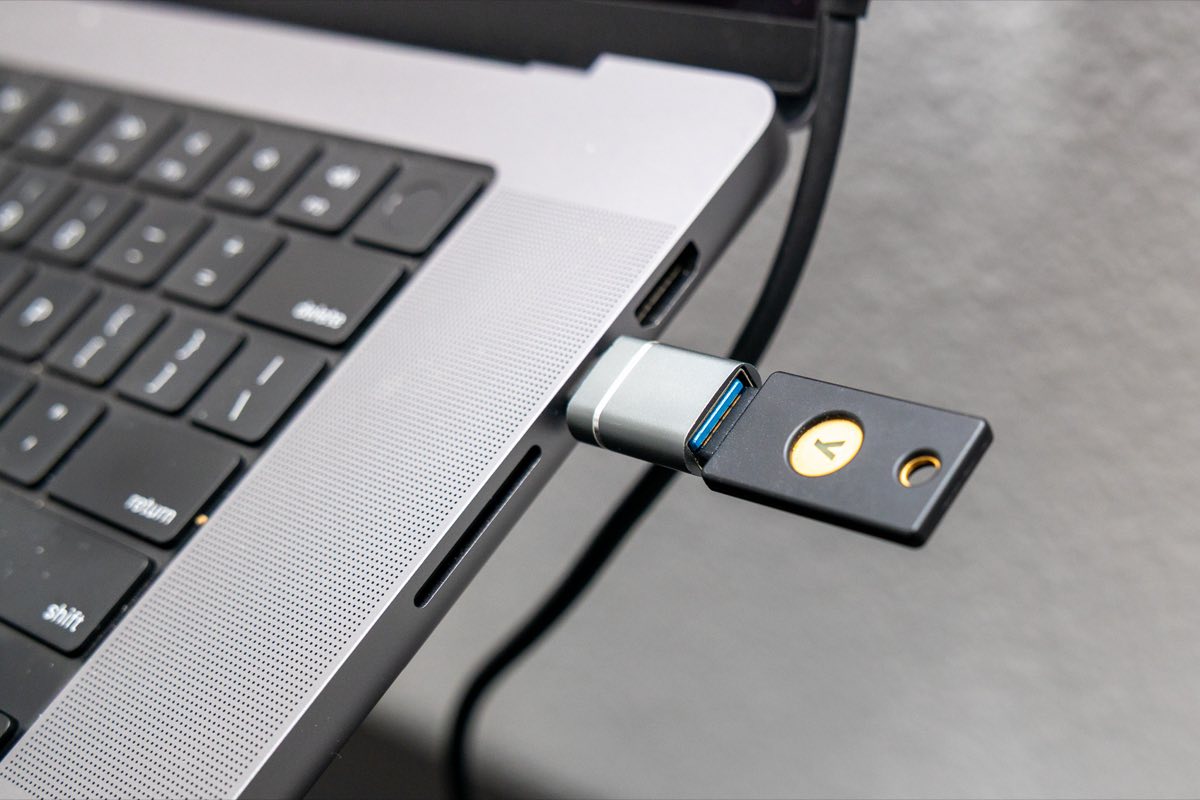
Yubico YubiKey 5 NFC

Hardware MFA that ends phishing for the accounts that matter. If you carry access to customer or production systems, this belongs on your keyring before anything else here.

  • Phishing-resistant hardware second factor
  • Plugs into any USB-C port on a laptop or desktop
  • FIDO2, U2F, TOTP, and smart-card support in one key
  • Buy two and register both, or a lost key locks you out
Logitech Spotlight Presenter by Logitech
Hidden GemIn my setup
Accessories$$$

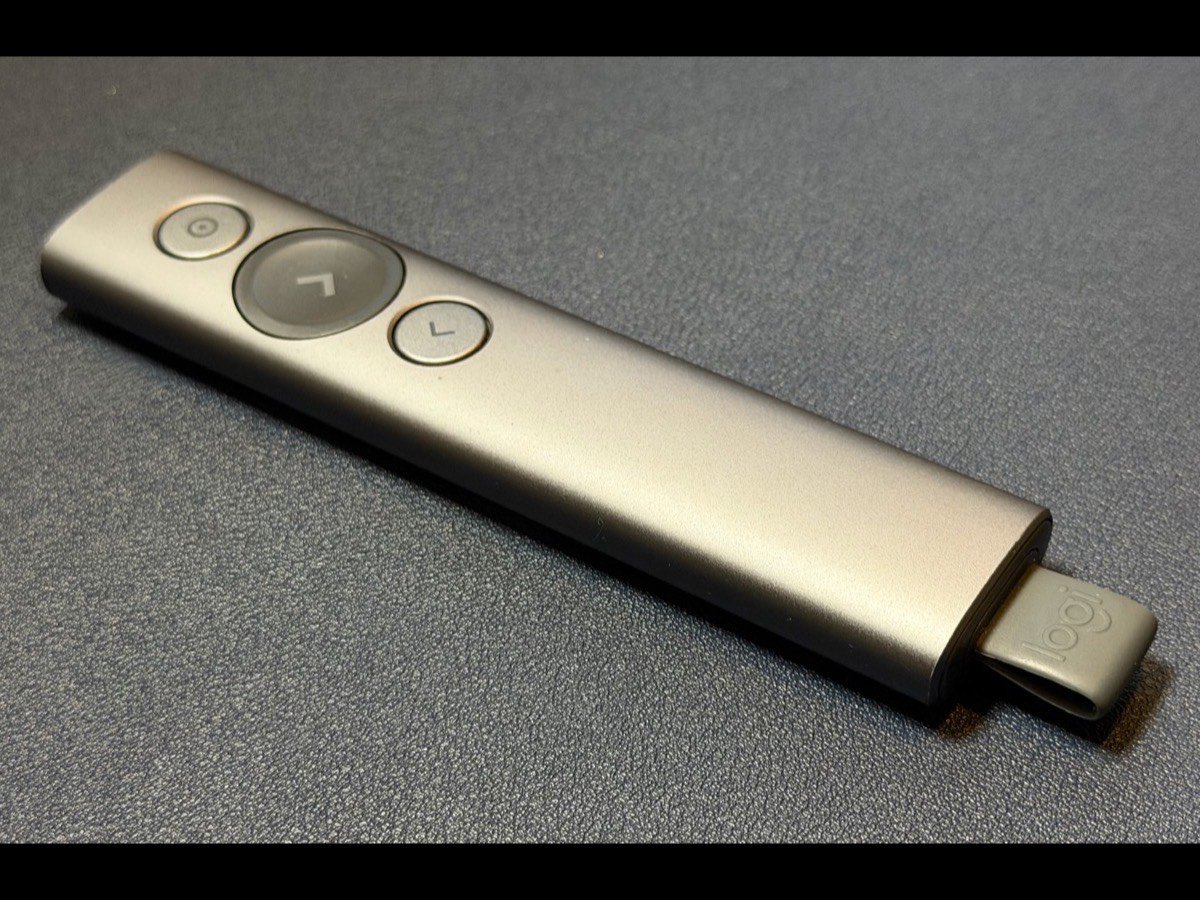
Logitech Spotlight Presenter

Not a laser pointer, and that is the point. It highlights and magnifies right on the screen, so it lands the same in a boardroom or over a screen share where a laser dot is invisible. I use it for every presentation, and it never fails to draw a 'how are you doing that, is that special software?' from the room.

  • On-screen highlight and magnify that work in person and over screen share
  • Reads like custom software to the room, a real edge in C-level and engineer demos
  • Long range, quick-charge battery, and timed vibration cues to stay on schedule
  • Pricey for a clicker
  • Software setup needed for the best features
9.0/10Tested May 2026
View on Amazon
SanDisk 1TB Extreme Portable SSD by SanDisk
Best Value
Accessories$$

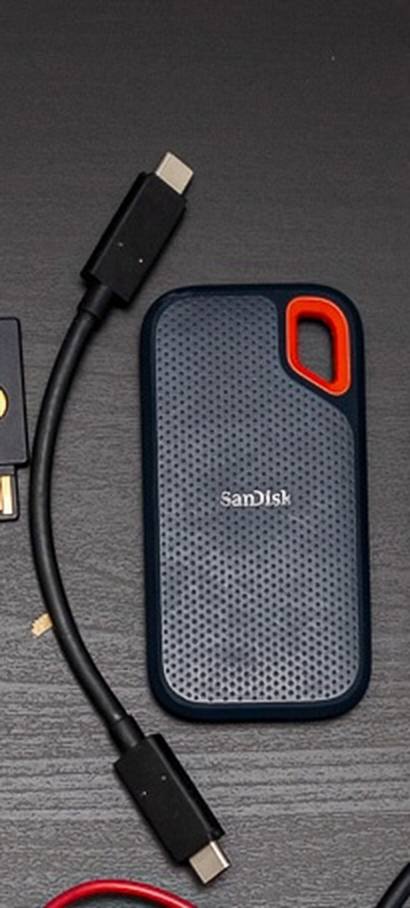
SanDisk 1TB Extreme Portable SSD

Fast, pocketable storage for demo VMs, recordings, and the assets you cannot afford to be without on site. Up to 1,050 MB/s over USB-C and rugged enough for a bag.

  • Quick USB-C transfers for big demo files
  • IP65 dust and water resistance for travel
  • Tiny and light enough to forget it is there
  • Keep a backup; any single drive can fail
JIKIOU
Best ValueIn my setup
Accessories$

JIKIOU Mouse Pad

The small pad I actually mouse on, and I keep it separate from the desk mat on purpose. It takes the scuffs and grime so the big pad stays clean, and when it does get dirty I just throw it in the wash. Stitched edges, a grippy base, and a textured surface my mouse tracks on perfectly.

  • Washable, so it stays clean instead of slowly getting grimy
  • Stitched edges that do not fray or peel
  • Non-slip rubber base that stays planted
  • Small by design, just the mousing zone, not the whole desk
8.0/10Tested May 2026
View on Amazon
Aothia
In my setup
Accessories$

Aothia Leather Desk Pad

The dark-blue mat the whole desk sits on. PU leather, water-resistant, and big enough to cover the working area, so the desk underneath stays protected and the setup looks deliberate instead of cluttered. I run a separate washable mousepad on top so this one keeps its clean look.

  • Large 36-by-17 surface covers the full working area
  • Water-resistant PU leather wipes clean in a second
  • Non-slip backing and a finished look that ties the desk together
  • PU leather, not full-grain, so treat it as a desk mat rather than a luxury good
8.0/10Tested May 2026
View on Amazon
Rolling Square Edge Pro Tablet Kit by Rolling Square
Hidden GemIn my setup
Accessories$$

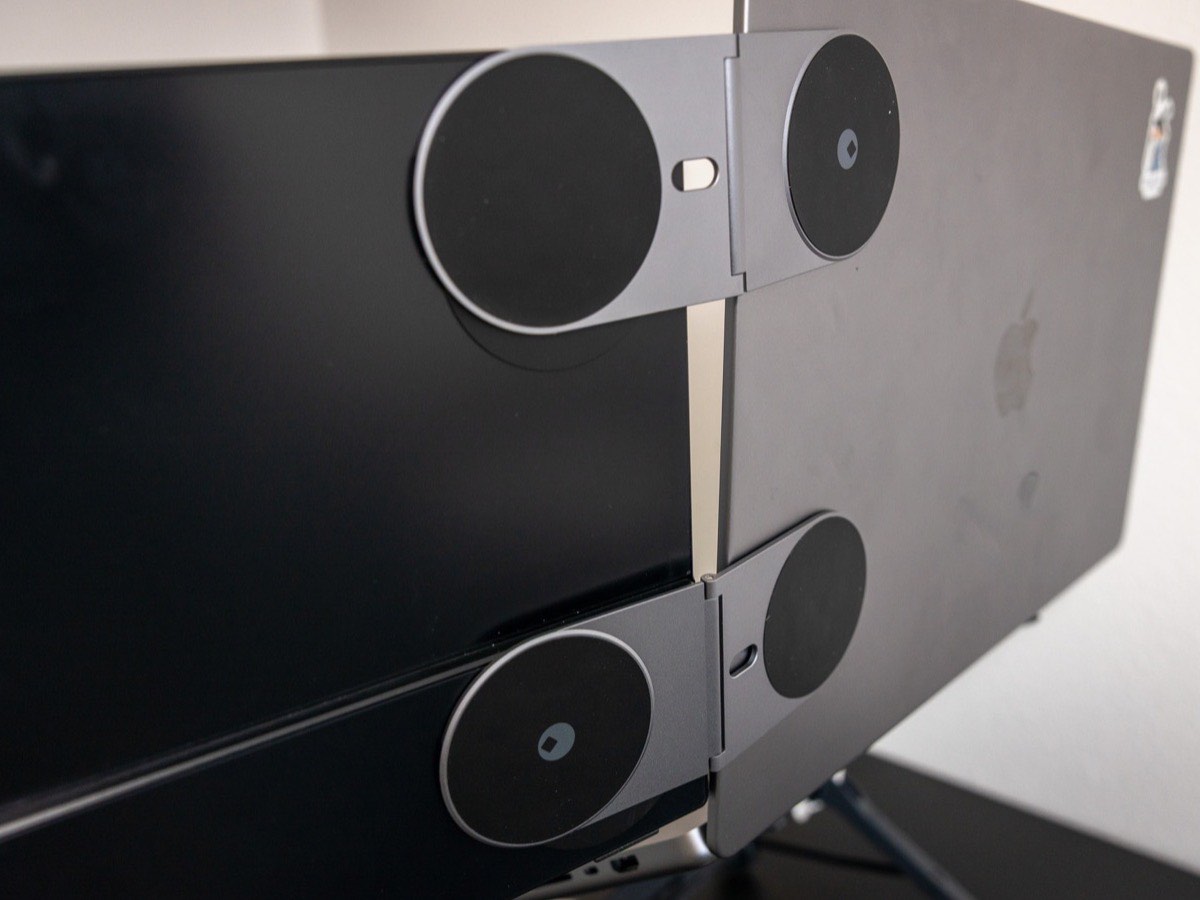
Rolling Square Edge Pro Tablet Kit

The magnetic mount I prop a phone or tablet on beside the laptop, for notes or a demo feed. It grips fast over MagSafe, holds a solid angle, and folds flat into the bag when I am done.

  • Props a phone or tablet at a usable angle in seconds
  • MagSafe-compatible, works with most tablets too
  • Folds flat for the bag
  • Heavier tablets test the hold
  • Niche if you do not already carry a tablet
7.0/10Tested May 2026
View on Amazon
Hermitshell Hard Travel Case by Hermitshell
Accessories$

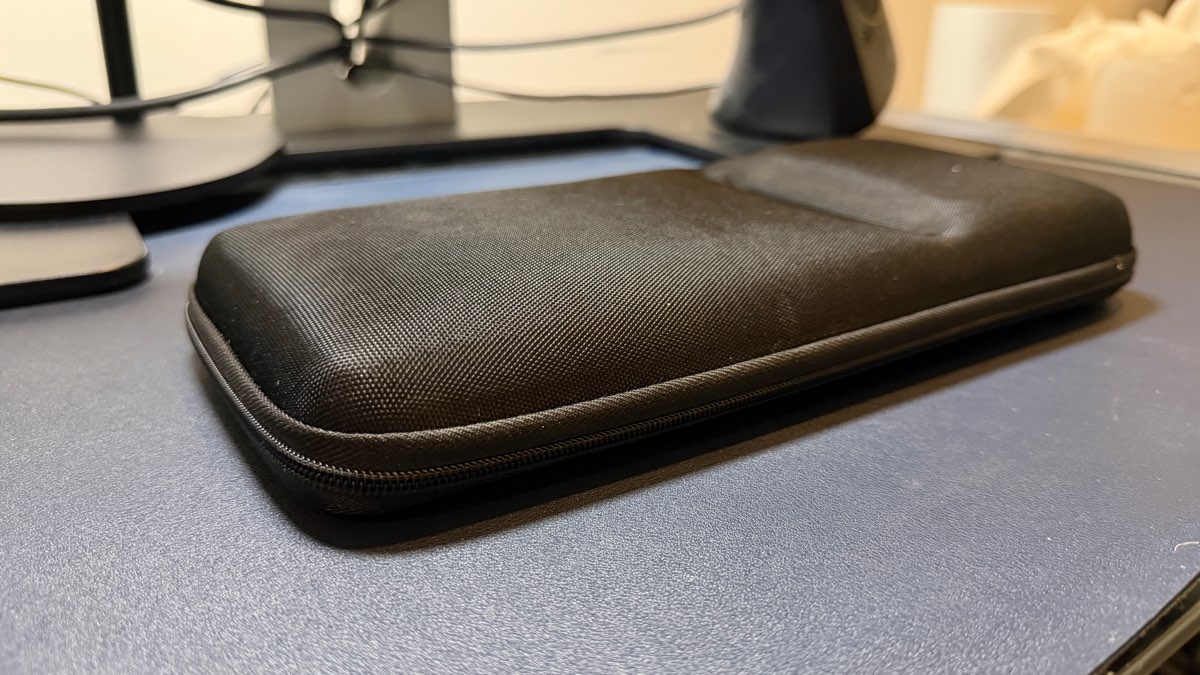
Hermitshell Hard Travel Case

The hard case that keeps the travel Magic Keyboard from getting crushed in a bag. Unglamorous, cheap, and the reason the keyboard still works after a year of travel.

  • Rigid shell that actually protects the keyboard
  • Fitted, with room for a slim mouse
  • A few dollars of cheap insurance
  • One more thing to pack
KU XIU 3-in-1 Wireless Charging Station by KU XIU
Best ValueIn my setup
Accessories$$

KU XIU 3-in-1 Wireless Charging Station

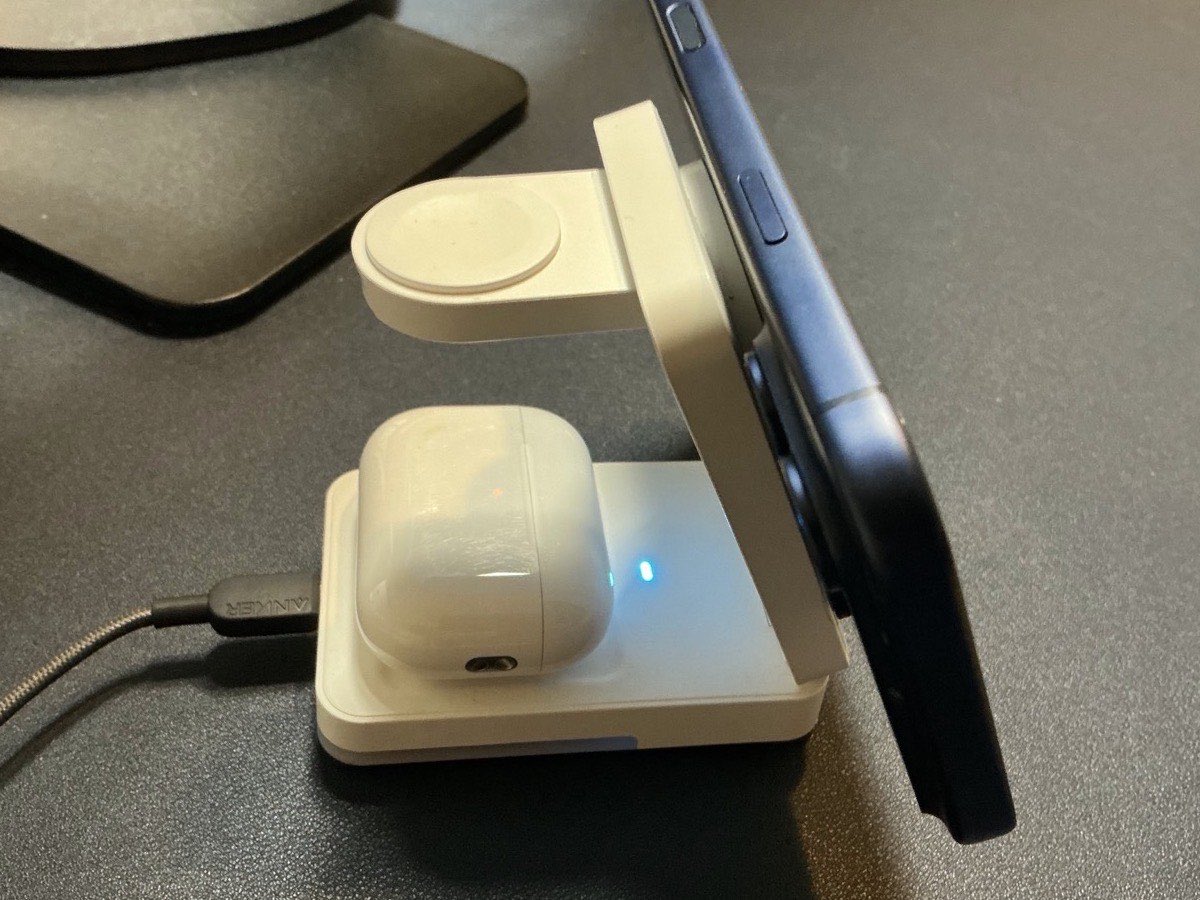
This lives next to my desk and folds into the bag for travel. It charges my phone, watch, and AirPods Pro all at once off a single cable, so one charger covers everything instead of three.

  • Charges iPhone, Apple Watch, and AirPods at once from one cable
  • Folds flat and travels, so it is the only charger I pack
  • MagSafe alignment with built-in overcharge protection
  • Needs your own USB-C wall adapter, none is included
  • MagSafe charging is a modest 5W, fine overnight but slow for a quick top-up
8.0/10Tested May 2026
View on Amazon
Roost Laptop Stand by Roost
Top PickIn my setup
Accessories$$$

Roost Laptop Stand

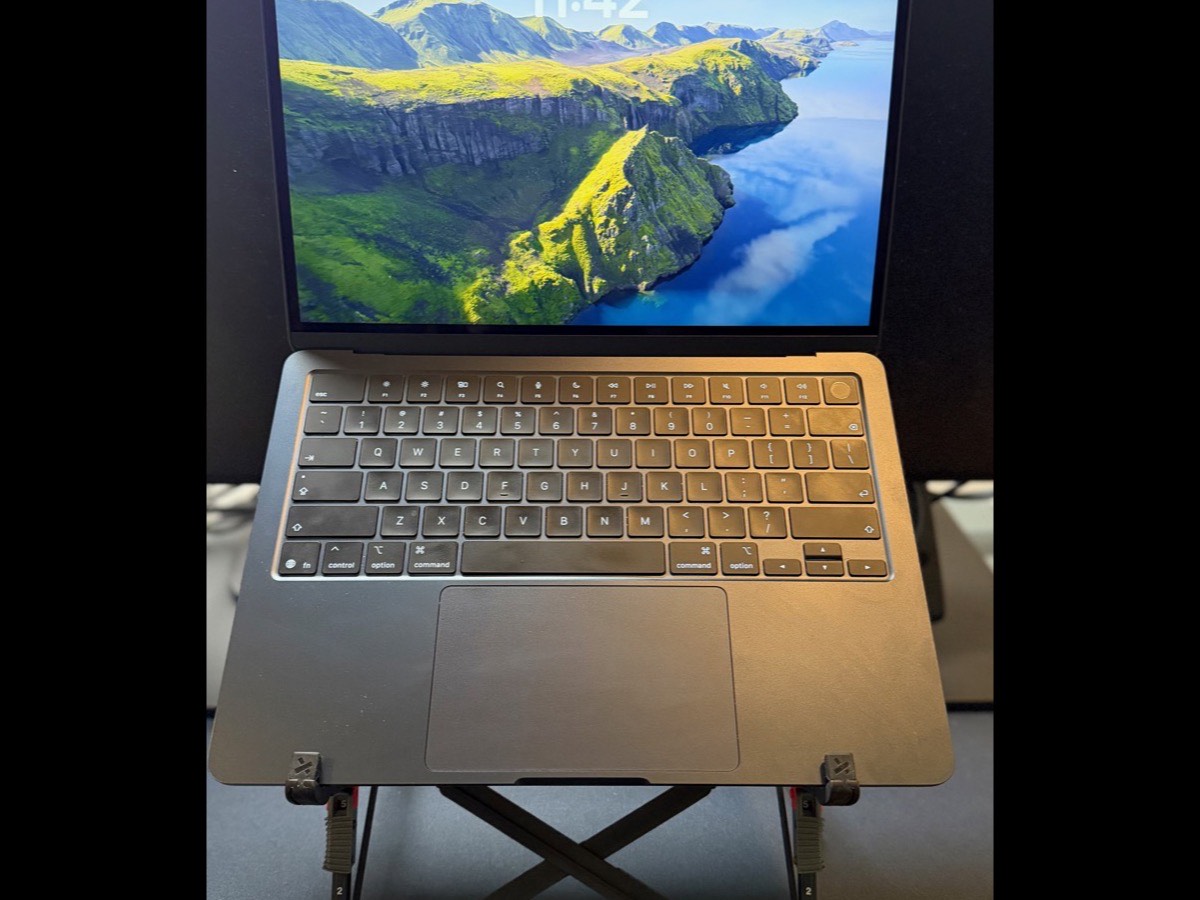
Super small, super light, and the anchor of my go-bag. This stand, my Touch ID keyboard, the Magic Mouse, a trackpad and the MacBook, plus a wall charger and the AirPods Pro, and I can work remote anywhere for hours in real comfort. It folds to almost nothing and lifts the laptop to eye level wherever I land.

  • Folds to almost nothing and weighs next to nothing in a bag
  • Lifts the laptop to eye level anywhere, so remote days stay comfortable
  • Sturdy and height-adjustable despite the tiny folded size
  • Premium price for a stand
  • Raising the laptop means bringing a separate keyboard and mouse (which is the point)
9.0/10Tested May 2026
View on Amazon
Stouchi Continuity Camera Mount by Stouchi
Hidden GemIn my setup
Webcams$

Stouchi Continuity Camera Mount

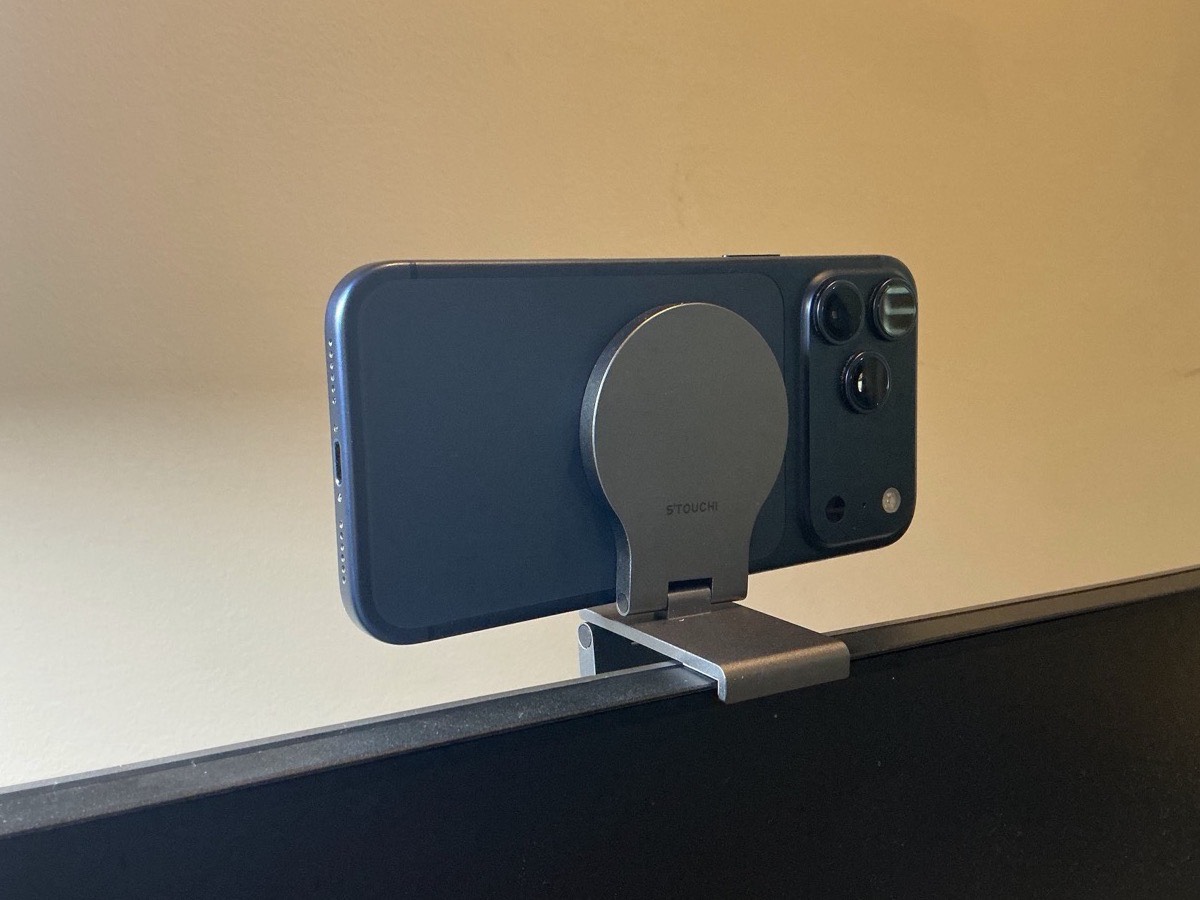
My webcam for remote offices, and it is really just my iPhone. This little MagSafe mount clamps the phone to the top of a screen and Continuity Camera turns it into the best camera in the room. When I am at a customer site and need to look sharp, this is how I do it.

  • Turns the iPhone you already carry into a top-tier webcam
  • Tiny and light, so it lives in the bag for remote-office days
  • Mounts on a monitor, a laptop lid, or a portable screen
  • Needs a recent iPhone and a Mac for Continuity Camera
  • Ties up your phone during the call
8.0/10Tested May 2026
View on Amazon
ARZOPA Portable Monitor by ARZOPA
Best ValueIn my setup
Accessories$$

ARZOPA Portable Monitor

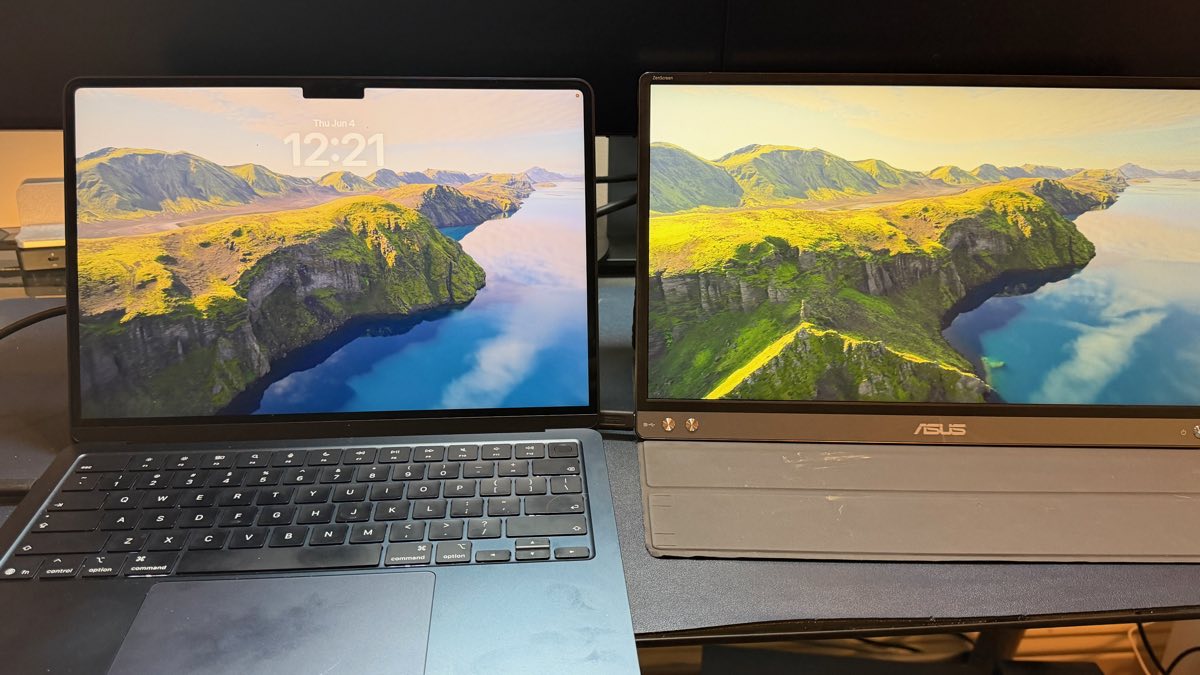
The second screen that travels with me. It sits beside the MacBook and gives me a real two-monitor setup in a coffee shop, a hotel, or a customer's spare desk. Mine is an older ARZOPA that is no longer sold; this is the current version of the same idea.

  • A genuine second screen anywhere, folds flat into the bag
  • Single USB-C cable to most recent laptops
  • 1080p IPS that is plenty sharp for docs, demos, and calls
  • Powered over the laptop's USB-C, so it sips battery
  • Not as bright or color-accurate as a desk monitor
8.0/10Tested May 2026
View on Amazon
Apple iPad 11-inch (A16) by Apple
Hidden GemIn my setup
Accessories$$

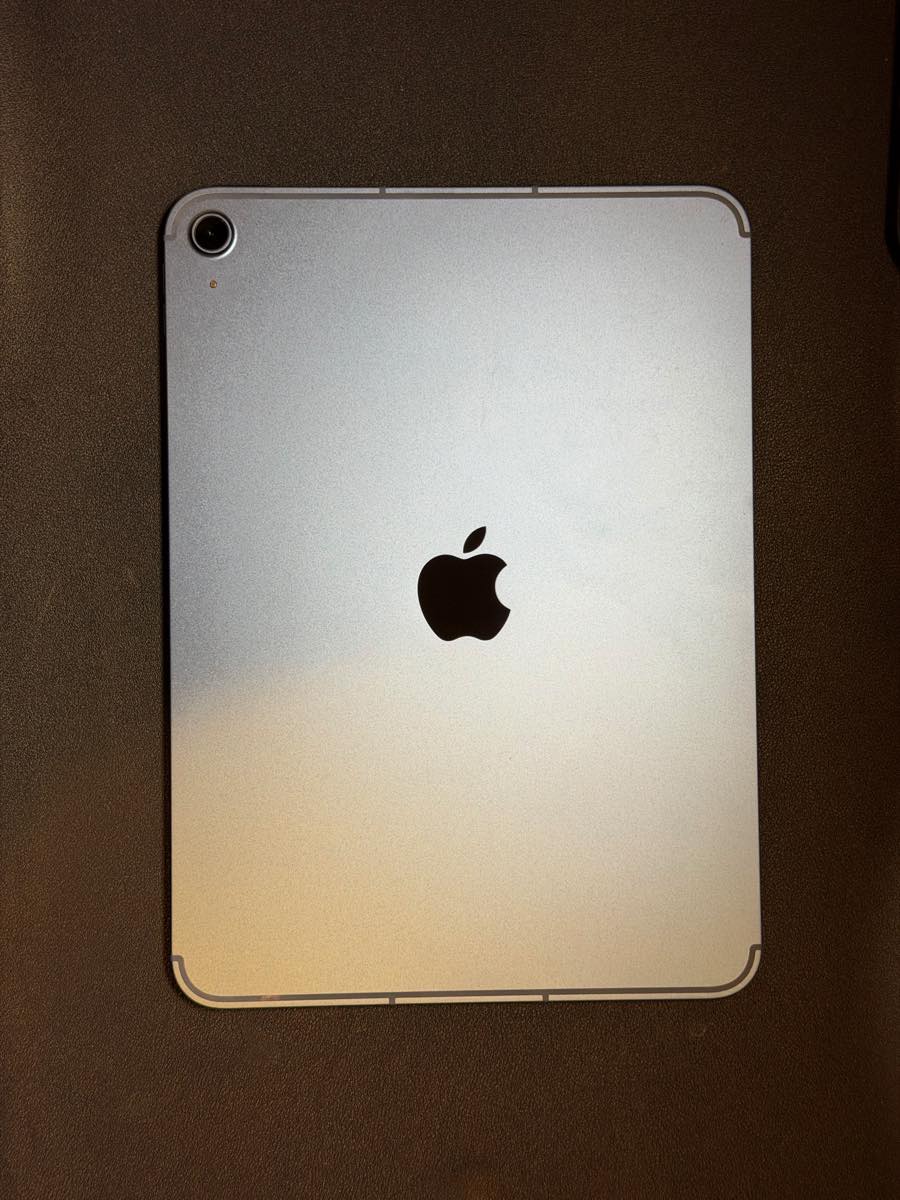
Apple iPad 11-inch (A16)

My grab-and-go second machine. I usually have the work laptop, but when I am out for a few hours with just my personal MacBook, the iPad runs Outlook, Teams, and Slack so I can stay on top of everything without hauling the big Pro. Light, instant-on, and all-day battery.

  • Runs the full Outlook, Teams, and Slack stack for real work away from the desk
  • Instant-on with all-day battery, so it is always ready to grab
  • Light enough to carry as a just-in-case second device
  • iPadOS is not macOS, so some workflows still need the laptop
  • Worth pairing with a keyboard case to actually get work done
8.0/10Tested May 2026
View on Amazon
Logitech Combo Touch (iPad A16 / 10th gen) by Logitech
In my setup
Accessories$$$

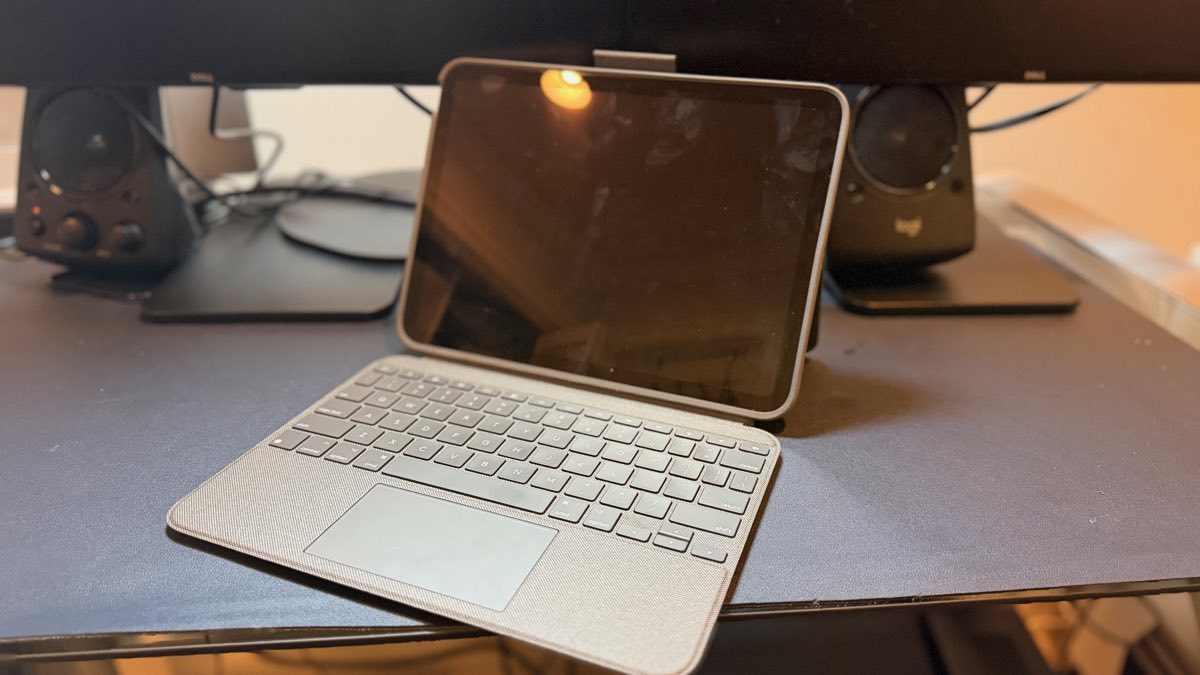
Logitech Combo Touch (iPad A16 / 10th gen)

What turns the iPad into something I can actually work on. A backlit keyboard and a real trackpad click on over the Smart Connector, so there is nothing to pair and nothing to charge, and the kickstand holds any angle. With this on, the iPad stops being a media tablet and becomes a tiny laptop for Outlook, Teams, and Slack.

  • Full backlit keyboard and a genuine trackpad, so iPadOS feels like a laptop
  • Smart Connector means no Bluetooth pairing and nothing to charge
  • Detachable, with a sturdy adjustable kickstand
  • Adds real bulk and weight to the iPad
  • Pricey for a keyboard case
8.0/10Tested May 2026
View on Amazon
Peak Design Everyday Backpack 30L by Peak Design
Top PickIn my setup
Accessories$$$$

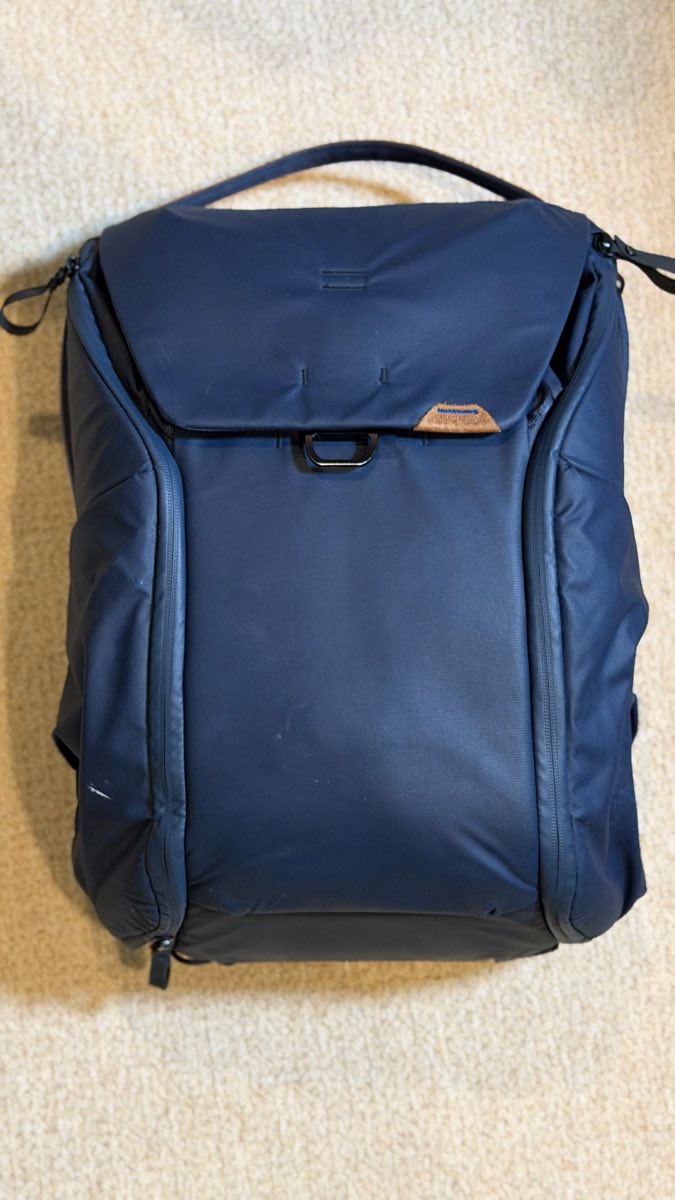
Peak Design Everyday Backpack 30L

The bag everything else here lives in. I carry it for hours at a time, so two things sold me. The side openings let me reach anything, even gear sitting at the very bottom, without unpacking the whole bag, and most bags I tested simply cannot do that. And the hip belt puts the load on my hips instead of my back on long walks. It does double duty for camera carry, but mostly it is my work bag.

  • Dual side access reaches anything, even at the very bottom, without digging
  • Real hip belt that moves the load off your back on hours-long carries
  • MagLatch top opens wide, and FlexFold dividers handle camera gear or a 15-16" laptop
  • Premium price
  • More bag than you need if you only carry a laptop and a charger
9.0/10Tested May 2026
View on Amazon
Peak Design Tech Pouch by Peak Design
Hidden GemIn my setup
Accessories$$$

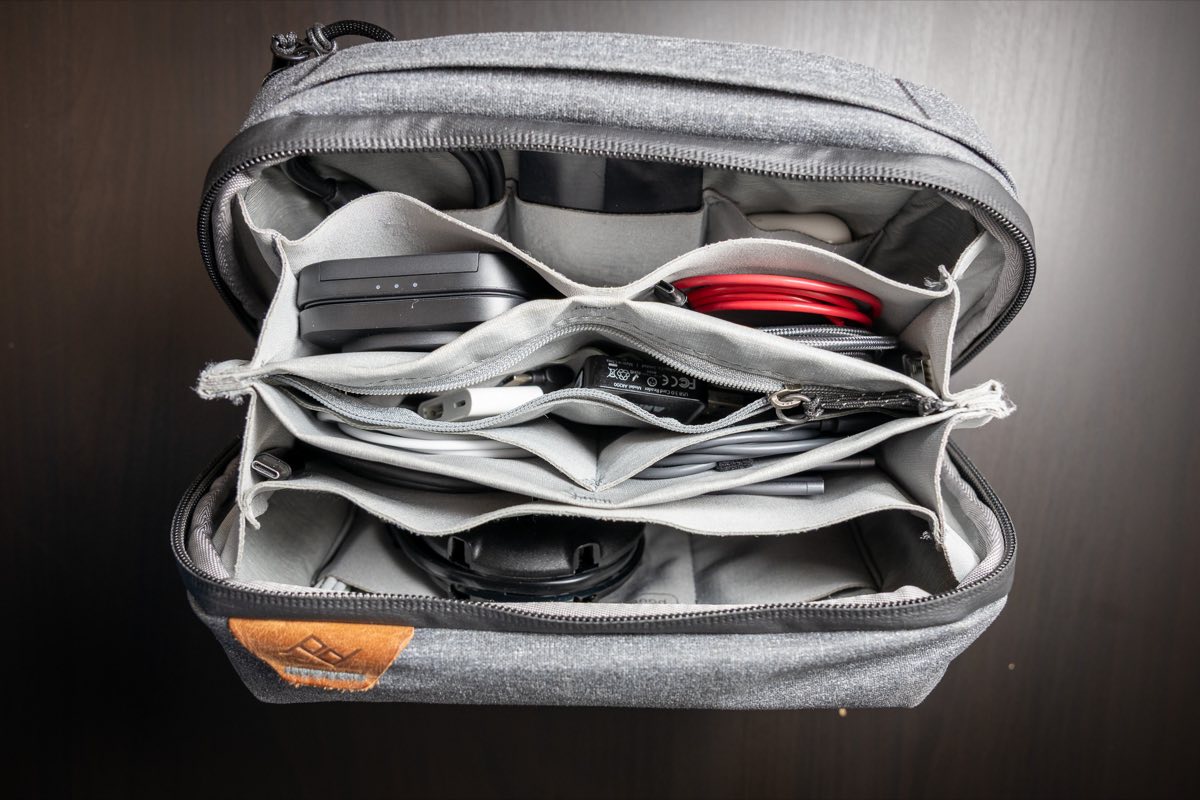
Peak Design Tech Pouch

Where all the small stuff lives so it is not loose in the bag. The origami-style pockets expand to hold chargers, cables, adapters, and dongles, everything gets a spot, and the cable pass-through lets me charge without even opening it. It is the difference between reaching for a dongle and dumping the whole bag out to find one.

  • Origami pockets expand to swallow chargers, cables, and adapters
  • Everything gets a dedicated spot, so nothing rattles loose in the bag
  • Weatherproof recycled nylon with a cable pass-through to charge while closed
  • Premium price for a pouch
  • Fills up fast once you start putting everything in it
9.0/10Tested May 2026
View on Amazon
Apple AirTag by Apple
Best ValueIn my setup
Accessories$

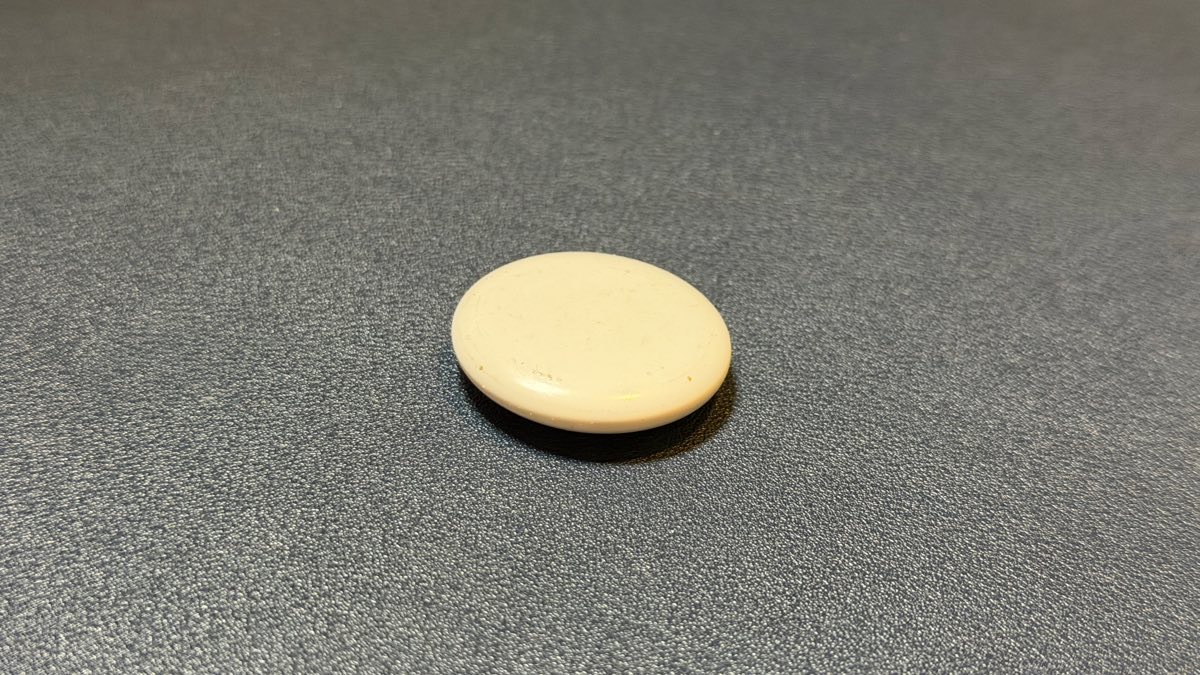
Apple AirTag

One lives in every bag I own. For a few dollars I always know where my work bag, travel bag, and camera bag are, and the Find My network means it works anywhere there is an iPhone nearby, which is basically everywhere. The first time a bag is briefly not where you thought it was, the AirTag has already paid for itself.

  • Drop one in every bag and never wonder where your gear is again
  • Precision Finding walks you right to it when it is close by
  • Find My network is effectively everywhere, and the battery lasts over a year
  • Apple ecosystem only
  • No built-in attachment point, so it is best with a holder or keyring
9.0/10Tested May 2026
View on Amazon
AINOPE
Hidden GemIn my setup
Accessories$

AINOPE USB-C Extension Cable

The unglamorous cable that makes booth duty bearable. At a conference I am logging into systems all day, and my MFA is a YubiKey. This USB-C extension brings the port out to where I can actually reach it, so I tap the key and I am in, instead of crawling behind a laptop or dock every single time.

  • Brings a hard-to-reach port out to where you actually work
  • Full-speed data and charging, so it is not just a dumb extension
  • Braided and well-built, so it survives being packed and repacked
  • Niche, you only miss it when a port is out of reach
  • One more cable to keep track of
8.0/10Tested May 2026
View on Amazon
Rolling Square AirCard Dual by Rolling Square
Hidden GemIn my setup
Accessories$$

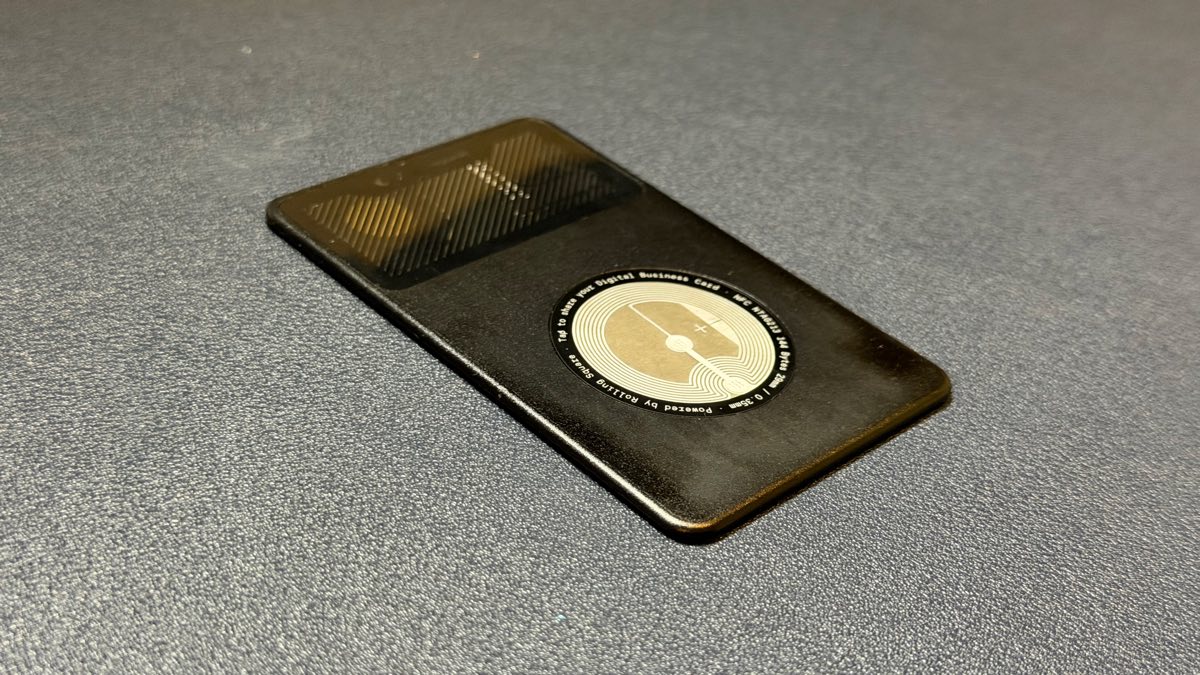
Rolling Square AirCard Dual

Lives in my wallet and does two jobs at once: it is my business card, and it is a credit-card-thin tracker that has already saved me hours when my wallet went missing. My favorite part, beyond the fact that it can ring out loud, is that it runs on Apple's Find My network, which in my own research is far more robust than Tile or the other networks. It even recharges wirelessly, so there is no battery to swap.

  • Card-thin, so it disappears into the wallet and doubles as a business card
  • Rides the Apple Find My network, denser and more reliable than Tile
  • Rings out loud and recharges wirelessly, with no battery to replace
  • Pricier than a basic Tile card
  • Find My coverage depends on nearby Apple devices
9.0/10Tested May 2026
View on Amazon
Hydro Flask 24 oz Wide Flex Chug Cap by Hydro Flask
In my setup
Accessories$$

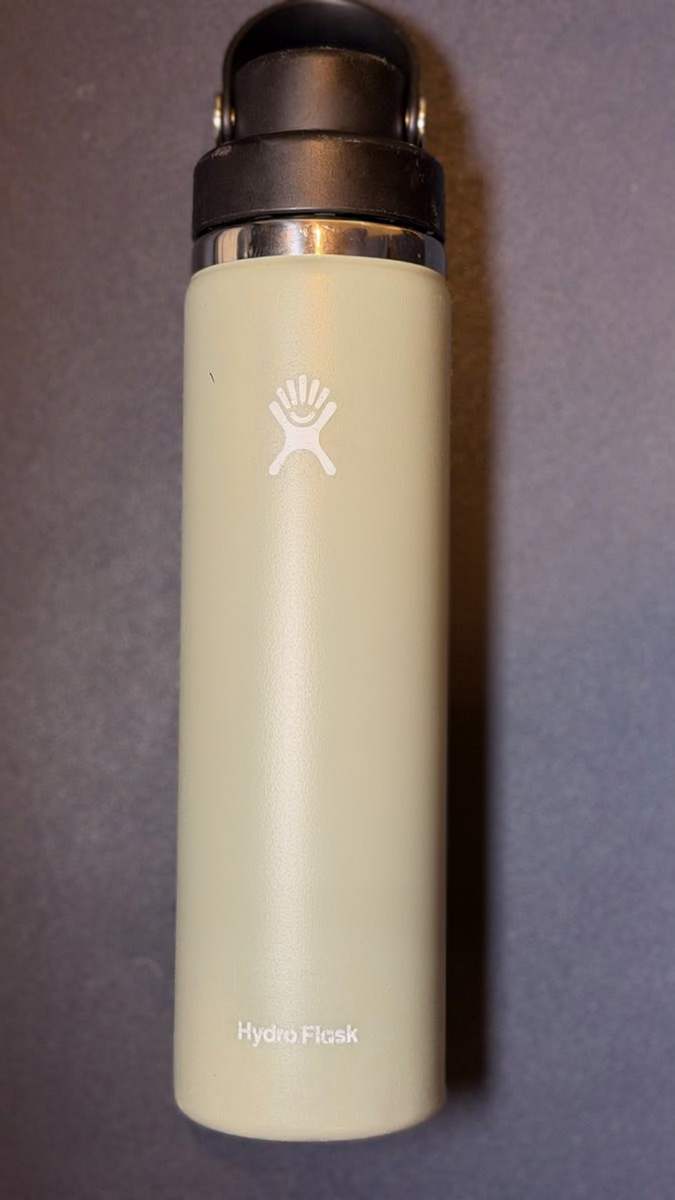
Hydro Flask 24 oz Wide Flex Chug Cap

Not tech, but it goes everywhere I do, so it earns its spot. The 24-ounce wide-mouth keeps water genuinely cold through a full day of meetings and travel, the Flex Chug cap is easy to drink from one-handed between calls, and the wide mouth actually fits ice. Boring, and the one thing here I never leave without.

  • Keeps water cold all day, through meetings and travel
  • Flex Chug cap is easy to sip one-handed between calls
  • Wide mouth fits ice and is easy to clean
  • Premium price for a water bottle
  • The cap is one more thing to keep clean
8.0/10Tested May 2026
View on Amazon
Apple iPhone 17 Pro Max by Apple
Premium ChoiceIn my setup
Accessories$$$$

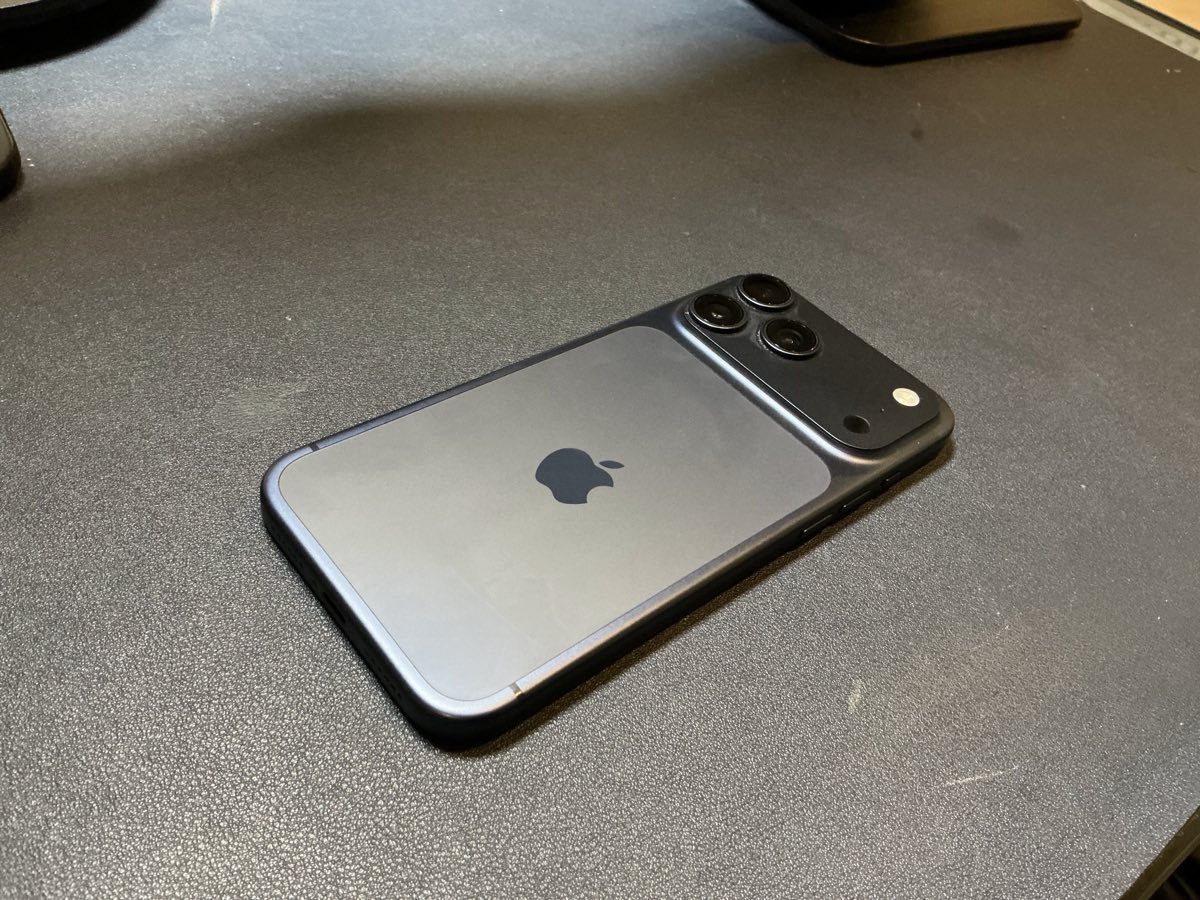
Apple iPhone 17 Pro Max

The phone everything else here orbits. It is my camera for Continuity Camera demos, my hotspot on the road, the screen the MagSafe stands hold, and the device half this list pairs to. A 256GB Pro Max in Deep Blue handles a full day of calls, photos, and demos without me thinking about the battery.

  • The hub the rest of the kit pairs to: AirPods, MagSafe stands, Continuity Camera
  • Pro camera doubles as my webcam through the Stouchi mount
  • All-day battery through back-to-back calls, photos, and demos
  • Expensive, especially at the Pro Max size
  • Big in the hand and the pocket
9.0/10Tested May 2026
View on Amazon